What Mac Minis Will Stop Working in 2026
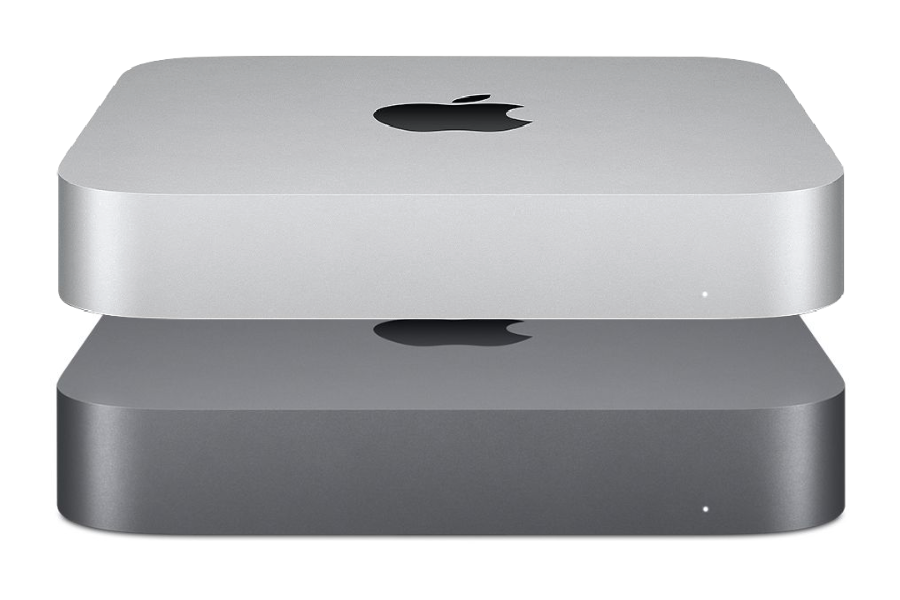
Clarification: “Stop Working” Doesn’t Mean Your Mac mini Shuts Down
Before diving into specific Mac mini models, it’s important to clarify what “stop working” actually means.
No Mac mini will suddenly stop turning on in 2026. Your device will still boot, connect to the internet, and run software it already supports.
However, when a Mac mini stops receiving macOS updates, it begins a slow but unavoidable decline. Over time, users experience:
- No access to new macOS versions
- Limited or discontinued security updates
- Increasing app and browser incompatibility
- Higher exposure to security vulnerabilities
- Gradual loss of ecosystem features
- Rapid resale value decline
For most users, this is the real point where a Mac mini becomes impractical — especially for work, school, home offices, or any device connected to the internet daily.
How macOS Updates Work on Mac mini
Apple follows a predictable software support lifecycle for macOS that determines how long a Mac mini remains secure, compatible, and practical to use. Understanding this lifecycle is critical — especially if you’re buying a Certified Used or Refurbished Mac mini in 2026.
Every Mac mini moves through three distinct software support phases over its lifetime.
Phase 1: Up To Date (Supports the Latest macOS)
In this phase, the Mac mini supports the newest macOS release (macOS 26 in 2026) and receives full software coverage from Apple.
Mac minis in this phase benefit from:
- New macOS features and system enhancements
- Performance and efficiency improvements
- Full compatibility with modern apps and frameworks
- Ongoing security updates
- Best support for Apple services and accessories
This is the healthiest stage of a Mac mini’s lifecycle and the only phase recommended when buying in 2026.
If a Mac mini cannot install the latest macOS, it immediately exits this phase and begins its decline toward obsolescence.
Phase 2: Security Updates Only (Does Not Support the Latest macOS)
When a Mac mini can no longer upgrade to the newest macOS release, it enters a limited support phase.
In this stage:
- The device stops receiving new macOS features
- Performance and system improvements end
- Apple continues issuing security-only updates for a limited time (typically 2–3 years)
- App compatibility gradually declines
- Some Apple ecosystem features may no longer work properly
Mac minis in this phase still function, but they are no longer future-proof.
This is a warning stage — safe enough to keep using temporarily, but not recommended to buy in 2026.
Phase 3: End of Life (No Security Updates)
Once Apple stops releasing security updates for the macOS version a Mac mini is running, the device officially reaches End of Life (EOL).
At this point:
- Browsers stop updating
- Modern websites may no longer load correctly
- Banking and secure services may block access
- Apps lose compatibility or fail to install
- Security vulnerabilities increase significantly
- Apple ecosystem services may become unstable or stop working
This is the point where a Mac mini is considered to have “stopped working” for modern use, even if the hardware still powers on.
What Happens When macOS Updates Stop
Once a Mac mini stops receiving macOS updates — especially security updates — it may still function, but it is no longer suitable for modern use.
Common issues include:
- Safari falling behind modern web standards
- Chrome and Firefox discontinuing support
- Banking, healthcare, and secure websites blocking access
- Apps failing to update or install
- Increasing exposure to malware and exploits
- iCloud, Messages, FaceTime, and ecosystem features behaving unpredictably
- New peripherals and accessories no longer supported
At this stage, upgrading is no longer optional. For most users, a Mac mini without security updates is effectively obsolete, even if the hardware itself still works.
❌ List of Mac Minis That Are Outdated in 2026 (No Apple Support)
These models (and any prior models) have reached the last phase (End of Life) by 2026. They can no longer upgrade to the new macOS version or receive security patches, which makes them unsuitable for modern use — even if they still power on.
| Model | Series | Release Year | CPU | Initial macOS | Final macOS | Final Security Update |
|---|---|---|---|---|---|---|
| Mac Mini 2010 | Mac Mini | 2010 | Intel Core 2 Duo | OS X Snow Leopard | macOS 10.13 High Sierra | Nov 2020 |
| Mac Mini 2011 | Mac Mini | 2011 | Intel Core i3, i5, i7 | OS X Lion | macOS 10.13 High Sierra | Nov 2020 |
| Mac Mini 2012 | Mac Mini | 2012 | Intel Core i3, i5, i7 | OS X Mountain Lion | macOS 10.15 Catalina | Jul 2022 |
| Mac Mini 2014 | Mac Mini | 2014 | Intel Core i3, i5, i7 | OS X Yosemite | macOS 12 Monterey | Jul 2024 |
⚠️ List of Mac Minis That Are on the Edge in 2026 (Security Updates Only)
These Mac minis are in Phase 2: Security Updates Only. They no longer support the latest macOS 26 but may still receive limited security patches.
They still work — but they are not future-proof and should generally be avoided when buying in 2026.
| Model | Series | Release Year | CPU | Initial macOS | Final macOS | Last Security Update |
|---|---|---|---|---|---|---|
| Mac Mini 2018 | Mac Mini | 2018 | Intel Core i3, i5, i7 | macOS 10.14 Mojave | macOS 15 Sequoia | Feb 2026 |
✅ List of Mac Minis That Are Good for 2026 (Support macOS 26)
These Mac mini models are in Phase 1: Up To Date, supporting macOS 26 and receiving full security updates from Apple. They are the only models recommended to buy in 2026.
| Model | Series | Release Year | CPU | Initial macOS | Support macOS 26 |
|---|---|---|---|---|---|
| Mac Mini 2020 | Mac Mini | 2020 | M1 | macOS 11 Big Sur | Yes |
| Mac Mini 2023 | Mac Mini | 2023 | M2, M2 Pro | macOS 13 Ventura | Yes |
| Mac Mini 2024 | Mac Mini | 2024 | M4, M4 Pro | macOS 15 Sequoia | Yes |
Which Mac Minis Support OpenClaw?
OpenClaw (formerly known as Clawdbot or Moltbot) is an AI automation tool that runs on macOS using the Node.js runtime. Because of this dependency, your Mac must support modern macOS versions to run the software properly.
Specifically, OpenClaw requires Node.js 22 runtime, which supports macOS 14 (Sonoma) or newer. However, if you want to run the standalone desktop application (.app file), you will need macOS 15 (Sequoia) or later.
This requirement automatically eliminates many older Intel Macs that cannot upgrade to newer macOS versions.
For Mac mini users, the 2018 Mac mini is the minimum model capable of running OpenClaw. However, if you want smooth performance and long-term compatibility, Apple Silicon models such as the M1 or M2 Mac mini are far better choices.
Mac Mini Compatibility for OpenClaw
| Mac mini Model | Chip | Latest macOS Support | OpenClaw Compatibility | Recommendation |
|---|---|---|---|---|
| Mac mini 2014 | Intel Core i3, i5, i7 | macOS 12 Monterey | ❌ Not Supported | Too outdated |
| Mac mini 2018 | Intel Core i3, i5, i7 | macOS 15 Sequoia | ⚠️ Supported | Minimum requirement |
| Mac mini 2020 (M1) | Apple M1 | macOS 26+ | ✅ Fully Supported | Recommended |
| Mac mini 2023 (M2) | Apple M2 / M2 Pro | macOS 26+ | ✅ Fully Supported | Best value |
| Mac mini 2024 (M3) | Apple M4 / M4 Pro | macOS 26+ | ✅ Fully Supported | Highest performance |
Why Apple Silicon Mac Minis Run OpenClaw Much Better
While the 2018 Intel Mac mini technically meets the minimum requirements, OpenClaw performs significantly better on Apple Silicon machines.
Mac minis with Apple chips provide:
- Much faster AI and automation workloads
- Better memory efficiency
- Lower power consumption
- Longer macOS support from Apple
Because of these advantages, many developers and AI users now consider Apple Silicon Macs the ideal platform for running Node.js-based automation tools.
If you plan to run OpenClaw regularly, a Mac mini 2020 (M1) or newer will deliver a noticeably smoother and more reliable experience.
Conclusion — Which Mac Minis Stop Working in 2026?
In 2026, the phrase “Mac mini stops working” is really about software support, not hardware failure. Apple’s macOS lifecycle makes it clear that once updates and security patches end, even a perfectly functional Mac mini becomes risky and impractical for modern use.
Final takeaway by category:
Effectively obsolete (No Apple Support):
Mac mini 2014 and earlier
These models no longer receive macOS updates or security patches and should not be used for internet-connected tasks.
On the edge (Security Updates Only):
Mac mini 2018 (Intel)
Still usable in the short term, but no longer supports macOS 26 and is not future-proof.
Good for 2026 (Fully supported):
Mac mini 2020 (M1), Mac mini 2023 (M2 / M2 Pro), Mac mini 2024 (M4 / M4 Pro)
These models support macOS 26, receive full security updates, and are safe long-term choices.
If you’re upgrading in 2026, the recommendation is clear: avoid Intel-based Mac minis and focus exclusively on Apple Silicon models. A Certified Used or Refurbished Mac mini with an Apple chipset will last longer, perform better, and remain secure for years to come.
FAQ — What Mac Minis Will Stop Working in 2026?
1. What does “stop working” mean for a Mac mini in 2026?
It does not mean the Mac mini will suddenly shut down. It means the device no longer receives macOS updates or security patches, leading to app incompatibility, browser issues, security risks, and declining usability for modern tasks.
2. Will my Mac mini still turn on in 2026 if it’s unsupported?
Yes. Unsupported Mac minis will still power on and run basic functions. However, without macOS updates or security patches, they become unsafe and increasingly incompatible with modern software and websites.
3. Which Mac minis are fully outdated in 2026?
Mac mini models from 2014 and earlier are fully outdated in 2026. They no longer receive macOS updates or security patches and are considered end-of-life for modern use.
4. Is the Mac mini 2018 still usable in 2026?
Barely. The Mac mini 2018 no longer supports macOS 26 but may still receive limited security updates. It is acceptable only if you already own one, but it is not recommended to buy in 2026.
5. Why are Intel-based Mac minis a bad idea in 2026?
Apple has fully transitioned to Apple Silicon. Intel-based Mac minis will lose software support sooner, see faster app incompatibility, and decline more quickly in resale value.
6. Which Mac minis are safe to buy in 2026?
Only Apple Silicon models are recommended:
- Mac mini 2020 (M1)
- Mac mini 2023 (M2 / M2 Pro)
- Mac mini 2024 (M4 / M4 Pro)
These models support macOS 26 and receive full security updates.
7. How long does Apple provide security updates after macOS support ends?
Typically, Apple provides security updates for 2–3 additional years after a Mac mini stops receiving the latest macOS version. Once security updates stop, the device is officially end-of-life.
8. What happens when security updates stop completely?
When security updates end:
- Browsers stop updating
- Secure websites may block access
- Apps lose compatibility
- Security vulnerabilities increase
- iCloud and ecosystem features may malfunction
At this point, the Mac mini is no longer suitable for modern use.
9. Is it worth buying a Certified Used or Refurbished Mac mini in 2026?
Yes — but only Apple Silicon models. Certified Used or Refurbished Mac minis with Apple chips offer the best balance of price, performance, longevity, and security.
10. What is the oldest Mac mini model to run OpenClaw?
The Mac mini 2018 (Intel) is able to run OpenClaw, which requires macOS 14 (Sonoma) or later. However, Mac mini 2020 or newer models are recommended because Apple Silicon chips provide significantly better performance and longer software support.
11. What is the best Mac mini for value in 2026?
The Mac mini 2020 (M1) remains the best value choice in 2026. It supports macOS 26, delivers strong performance, and is widely available at a lower Certified Used or Refurbished price.