Introduction
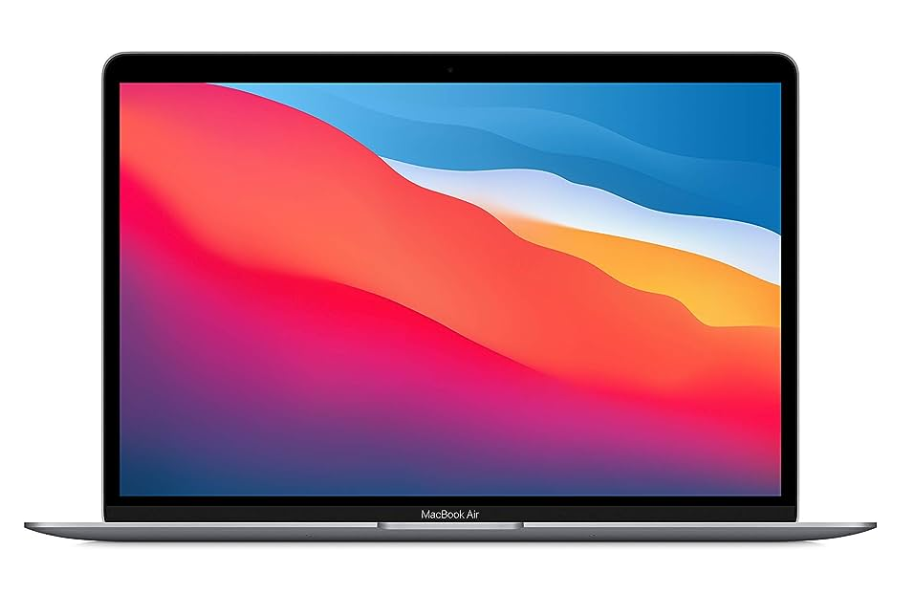
The MacBook Air 2020 holds a unique place in Apple’s laptop history. It was released in two versions during the same year — one with Intel’s 10th-gen Core processors, and later in 2020, the groundbreaking Apple M1 chip. Fast forward to 2026, and both versions can be found as Certified Used or Refurbished models at much lower prices than their original $999+ launch cost.
According to UpTrade’s Price Tracker, the Intel version now starts around $300+, while the M1 version occasionally drops to $400+ — an impressive deal for a machine that’s still fast, efficient, and supported by Apple’s latest software. If you’re looking for a budget-friendly MacBook for 2026, the 2020 MacBook Air is worth considering — but choosing the right version makes all the difference.
Quick Answer: Is MacBook Air 2020 Worth It in 2026?
- Yes — but only the M1 version is worth buying
- Intel version is not recommended (no macOS 26 support)
- M1 models start around $400+ (great value)
- M1 offers much better performance and battery life
- Longer software support makes it more future-proof
MacBook Air 2020 Overview: Intel vs M1
When Apple first launched the MacBook Air 2020 in March, it came with Intel’s 10th-gen Core i3, i5, or i7 processors. These models offered modest performance gains over the 2019 version but still carried the limitations of Intel-based MacBooks — shorter battery life, more heat, and less efficiency.
Then, in November 2020, Apple introduced the first-ever MacBook Air with its own Apple M1 chip. This upgrade wasn’t just incremental — it was transformational. The M1 delivered much faster performance, dramatically better battery life, and fanless, whisper-quiet operation. It also marked the beginning of Apple’s full transition away from Intel chips.
The key difference in 2026?
- Chipset: M1 is a much more advanced chipset compared to Intel. Also, Apple tends to provide longer support to the M1 version because of its own chipset.
- macOS Support: The M1 version supports the latest macOS 26, but the Intel version only supports up to macOS 15.
If you’re deciding between the two, the M1 version isn’t just the better choice — it’s the only one we recommend for long-term use.
MacBook Air 2020 Prices in 2026
The 2020 MacBook Air has become a budget-friendly entry point into Apple’s laptop lineup. According to UpTrade’s Price Tracker:
- Intel MacBook Air 2020: Certified Used or Refurbished models now start at $300+.
- M1 MacBook Air 2020: It’s currently at $400+ for Certified Used / Refurbished inventory. However, based on our historical data, we predict that it will drop below $400 in 2026. If you see one below $400, it’s definitely a good deal to grab.
For an extra $100 or so, the M1 offers a huge leap in speed, efficiency, and long-term software support.
Performance & User Experience
The performance difference between the Intel and M1 versions of the 2020 MacBook Air is dramatic. The Intel models handle everyday tasks like web browsing, email, and light productivity just fine, but they slow down noticeably when running heavier apps or multitasking.
The M1 model, on the other hand, delivers near-instant responsiveness, smooth multitasking, and impressive performance even with demanding apps like Final Cut Pro, Logic Pro, or Photoshop. Apple’s custom chip architecture also means apps are optimized to run more efficiently, making the M1 MacBook Air feel as fast as some newer laptops that cost twice as much.
Specs: MacBook Air 2020 (Intel) vs MacBook Air 2020 (M1)
| Feature |
Intel MacBook Air 2020 |
M1 MacBook Air 2020 |
| Launch Date |
March 2020 |
November 2020 |
| Processor |
Intel 10th Gen Core i3, i5, or i7 (up to 4 cores) |
Apple M1 (8-core CPU: 4 performance + 4 efficiency) |
| Graphics |
Intel Iris Plus Graphics |
Apple M1 7-core or 8-core GPU |
| RAM |
8GB or 16GB LPDDR4X |
8GB or 16GB unified memory |
| Storage Options |
256GB, 512GB, 1TB, 2TB SSD |
256GB, 512GB, 1TB, 2TB SSD |
| Display |
13.3" Retina, 2560×1600, True Tone |
13.3" Retina, 2560×1600, True Tone |
| Keyboard |
Magic Keyboard |
Magic Keyboard |
| Ports |
2× Thunderbolt 3 (USB-C), headphone jack |
2× Thunderbolt/USB 4, headphone jack |
| Battery Life |
Up to 11 hours (real-world 6–8 hrs) |
Up to 18 hours (real-world 15–18 hrs) |
| Cooling |
Active cooling (fan) |
Passive cooling (fanless) |
| Weight |
2.8 lbs (1.29 kg) |
2.8 lbs (1.29 kg) |
| OS Support |
Up to macOS 15, no macOS 26 support |
Supports macOS 26 and future updates |
| Current Price (Certified Used) |
$300+ |
$400+ |
Intel Core i5 vs Apple M1
| Spec |
Intel Core i5-1030NG7 (10th Gen Ice Lake) |
Apple M1 |
| Architecture |
Intel 10nm Ice Lake |
Apple ARM-based 5nm |
| Cores / Threads |
4 cores / 8 threads |
8 cores (4 high-performance + 4 efficiency) |
| Base Clock |
1.1 GHz |
Not applicable (big.LITTLE architecture) |
| Turbo Boost |
Up to 3.5 GHz |
Performance cores up to ~3.2 GHz |
| GPU |
Intel Iris Plus (64 execution units) |
Apple M1 integrated GPU (7-core or 8-core) |
| Neural Engine |
None |
16-core Neural Engine (11 trillion ops/sec) |
| RAM Support |
LPDDR4X-3733, up to 16GB |
Unified LPDDR4X-4266, up to 16GB |
| TDP |
9W |
~10–15W under load |
| Transistor Count |
~3.9 billion |
16 billion |
| Geekbench 5 Single-Core (avg) |
~1100 |
~1700 |
| Geekbench 5 Multi-Core (avg) |
~2900 |
~7400 |
| Integrated Machine Learning |
No |
Yes, via Neural Engine and ML accelerators |
| Release Date |
Q1 2020 |
Q4 2020 |
No More Keyboard Issues
Earlier MacBook Air and Pro models (2015–2019) were plagued by Apple’s problematic butterfly keyboard, known for sticking keys and costly repairs. Thankfully, the MacBook Air 2020 — both Intel and M1 versions — uses Apple’s redesigned Magic Keyboard. This means better key travel, improved reliability, and a much more comfortable typing experience.
Software Support and macOS Compatibility
This is where the Intel and M1 versions truly part ways in 2026:
- M1 MacBook Air: Fully supports macOS 26 and is expected to receive updates for several more years.
- Intel MacBook Air: Stuck on macOS 15, with no official support for macOS 26.
Losing access to major macOS updates means missing out on new features, improved security, and better compatibility with future apps. If you plan to keep your MacBook Air for more than a year or two, the M1 version is a far better investment.
Battery Life and Power Efficiency
Battery life is another area where the M1 model leaves the Intel version far behind. The Intel MacBook Air typically lasts 6–8 hours in real-world use. The M1 MacBook Air? Easily 15–18 hours on a single charge for light to moderate use.
The M1 chip’s efficiency also means the laptop runs cool and fanless, making it silent even under load. The Intel version has a fan and can get noticeably loud and warm under heavy load. For students, travelers, or anyone working away from an outlet, the M1 MacBook Air is a game-changer.
The M1 is more efficient than Intel 10th Gen i5 mainly because of how it’s designed from the ground up. Apple didn’t just make a faster chip — they built a completely different architecture optimized for laptops.
Here’s the clear breakdown 👇
1️⃣ ARM Architecture vs x86 (Fundamental Difference)
- M1 = ARM-based (Apple Silicon)
- Intel i5 10th Gen = x86 architecture
Why this matters:
ARM chips (like M1):
- Use simpler instructions
- Require less power per task
- Generate less heat
Intel x86 chips:
- Use more complex instructions
- Consume more power
- Generate more heat
👉 Result: M1 can do the same work using far less energy
2️⃣ Performance + Efficiency Cores (Big Advantage)
M1 uses a hybrid core design:
- 4 high-performance cores (for heavy tasks)
- 4 efficiency cores (for light tasks)
What happens in real use:
- Email, browsing → handled by efficiency cores (very low power)
- Video editing → handled by performance cores
Intel 10th Gen i5:
- All cores are general-purpose
- No true efficiency cores
👉 Result: M1 avoids wasting power on simple tasks
3️⃣ Unified Memory Architecture (Huge Efficiency Boost)
M1 uses unified memory:
- CPU, GPU, and other components share the same memory pool
- No copying data between components
Intel system:
- CPU and GPU often use separate memory
- Requires data transfers (wastes power + time)
👉 Result: M1 reduces memory overhead and power usage
4️⃣ On-Chip Integration (System on a Chip)
M1 is a System on a Chip (SoC):
Everything is built into one chip:
- CPU
- GPU
- RAM controller
- Neural Engine
- Media engines
Intel systems:
- Multiple separate components
👉 Result:
- Shorter data paths
- Less energy wasted moving data
- Faster + more efficient processing
5️⃣ Much Better Performance per Watt
This is the most important metric.
👉 M1 delivers more performance using less power
Real-world impact:
- M1 MacBook Air battery life: 15–18 hours
- Intel MacBook Air: ~8–10 hours
👉 Nearly 2x battery life
6️⃣ Thermal Efficiency (No Fan Needed)
M1 generates much less heat:
- MacBook Air M1 = fanless
- Intel MacBook Air = needs active cooling
👉 Less heat = less energy wasted
7️⃣ Specialized Hardware (Efficiency Multiplier)
M1 includes dedicated engines:
- Neural Engine → AI tasks
- Media Engine → video encoding/decoding
Intel i5:
- General-purpose CPU handles everything
👉 Result:
- Tasks like video editing or AI run faster + more efficiently
Why the M1 Version Is the Better Buy
If you’re shopping for a MacBook Air 2020 in 2026, the M1 version isn’t just slightly better — it’s superior in almost every way that matters.
- Faster Performance: The M1 outperforms the Intel chip in both single-core and multi-core tasks, making it better for everything from casual web browsing to professional creative work.
- Longer Battery Life: With up to 18 hours of battery life, the M1 version lasts more than twice as long as the Intel model in real-world usage.
- Cooler and Quieter: The fanless M1 MacBook Air runs silently and stays cool even under heavy load, unlike the Intel version, which uses a fan and can get warm during intensive tasks.
- Better Graphics: The M1’s integrated GPU delivers smoother performance in photo editing, video playback, and light gaming compared to Intel’s Iris Plus graphics.
- Future-Proof Software Support: The M1 version supports macOS 26 and will continue to get updates for years, while the Intel model is already cut off from the latest OS.
Conclusion: Get the M1 MacBook Air 2020 if You Can
The Certified Refurbished MacBook Air 2020 remains a great value in 2026 — but only if you choose the right version. The Intel model’s lack of macOS 26 support and shorter battery life make it a poor choice for most buyers. The MacBook Air 2020 (M1), on the other hand, offers excellent performance, efficiency, and longevity at a price that’s hard to beat.
If you see an M1 version of Certified Used or Refurbished MacBook Air 2020 for $400+ or even below, grab it. You’ll get a laptop that still feels modern, runs the latest software, and should serve you well for years to come.
FAQ: Buying the MacBook Air 2020 in 2026
1. How much does the MacBook Air 2020 cost in 2026?
The Intel version starts around $300+, while the M1 version can be found for $400+, but based on historical data, we expect it to drop below $400.
2. Is the Intel MacBook Air 2020 still supported?
No. The Intel version does not support macOS 26 and is stuck on macOS 15 (the version before macOS 26).
3. How long will the M1 MacBook Air 2020 be supported?
It should receive macOS updates for several more years, because it has the Apple M1 chipset.
4. Is it worth paying extra for the M1 version?
Yes. The performance, battery life, and software support make the M1 worth the small price difference over the Intel model.
5. Does the MacBook Air 2020 have the problematic butterfly keyboard?
No. Both the Intel and M1 versions use Apple’s reliable Magic Keyboard.
6. How’s the battery life on the M1 MacBook Air?
Expect 15–18 hours of real-world usage, which is more than double the Intel version’s typical 6–8 hours.
7. Is the M1 MacBook Air good for creative work?
Yes. While it’s not as powerful as Apple’s Pro models, the M1 can handle video editing, photo editing, and music production smoothly for most users.

 Sale
Sale