Is Mac Mini Intel 2014 Worth Buying in 2026
Introduction
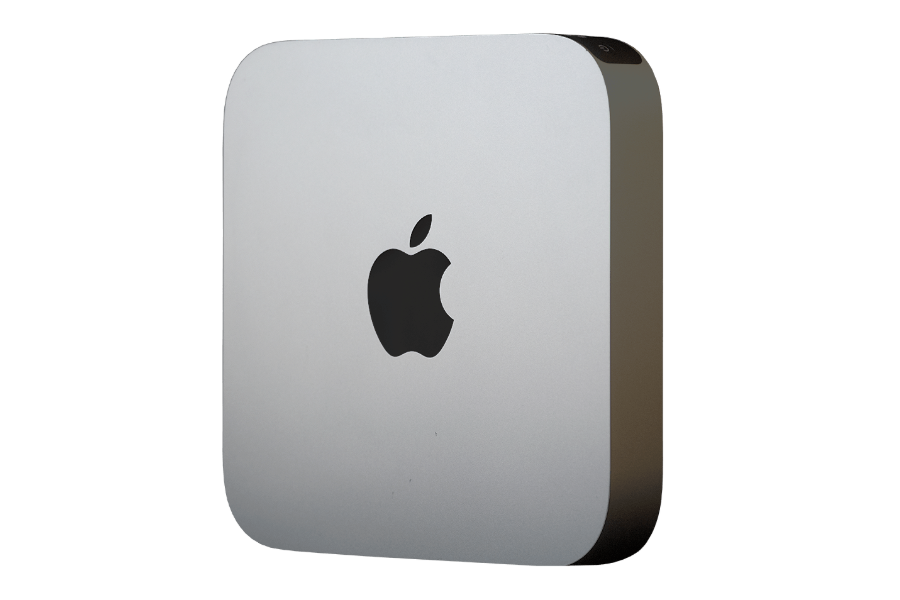
At first glance, the Mac mini (Intel, 2014) looks like a steal in 2026. According to the UpTrade Price Tracker, Certified Used / Refurbished units can still be found for around $100+, making it one of the cheapest Macs you can buy today.
That low price is exactly why it keeps showing up in searches.
For budget-focused buyers, the appeal is obvious:
- Extremely low upfront cost
- Compact, familiar Mac mini design
- Works with existing monitors and peripherals
- “It’s still a Mac” branding at a bargain price
For someone just looking for a basic desktop, the Mac mini 2014 can seem like a harmless, low-risk purchase.
But in 2026, price alone doesn’t determine value. The real question isn’t whether the Mac mini 2014 is cheap — it’s whether it still makes sense to buy a Mac that Apple has already moved on from in terms of software support, security, and long-term usability.
That’s where the Mac mini 2014 starts to fall apart.
Important Clarification — “Still Turns On” vs “Still Worth Buying”
Let’s clear up an important distinction right away.
Yes — the Mac mini Intel 2014 still turns on in 2026. It can boot, run older apps, connect to the internet, and perform basic tasks.
But “still works” is not the same as “still worth buying.”
What actually matters when buying a Mac in 2026 includes:
- Whether it receives macOS updates
- Whether it still gets security patches
- Whether modern apps and browsers are supported
- Whether it’s safe to use for daily internet-connected tasks
This is where the Mac mini 2014 fails the test.
Apple has officially excluded it from new macOS releases. It is limited to macOS 12 Monterey, and its last security update was released in July 2024. That means:
- No support for macOS 26
- No ongoing security updates
- No future protection against new vulnerabilities
In practical terms, the Mac mini 2014 has already moved from aging to end-of-life status.
So while the hardware may still power on, buying it in 2026 means accepting a system that is already outdated, increasingly unsafe, and unsuitable for long-term use — even if the sticker price looks attractive.
If you’re shopping today, that distinction matters more than ever.
OS Compatibility — Where the Mac Mini Intel 2014 Stands in 2026
The biggest and most decisive factor when evaluating the Mac mini (Intel, 2014) in 2026 is operating system compatibility.
The Mac mini 2014 is officially capped at macOS 12 Monterey. Apple has permanently excluded this model from newer macOS releases, which means:
- It cannot upgrade beyond macOS 12
- It does not support macOS 26
- It will never receive new macOS features
- It is no longer part of Apple’s active macOS support lineup
More importantly, Apple ended security support for macOS 12 Monterey in July 2024. That was most likely the final security update for the Mac mini 2014.
What This Means in Practice
As of 2026, the Mac mini 2014 is in full End-of-Life (EOL) status from a software perspective:
- No macOS upgrades
- No security patches
- No fixes for newly discovered vulnerabilities
This is not a temporary gap or a “security-updates-only” phase — Apple has fully moved on.
Why OS Compatibility Matters More Than Hardware
Even though the Mac mini 2014 hardware may still function, modern macOS compatibility is what keeps a Mac:
- Secure on the internet
- Compatible with browsers and apps
- Safe for email, banking, and personal accounts
Without OS and security updates:
- Browsers eventually stop updating
- Apps begin requiring newer macOS versions
- Websites may stop loading correctly
- Security risks increase every month
This is why OS compatibility is the hard stop for recommending a Mac in 2026.
Intel i5/i7 vs Apple M1
Specs Comparison
| Feature | Intel Core i5 / i7 (Mac Mini 2014) | Apple M1 (Mac Mini 2020) |
|---|---|---|
| Release Era | 2014 | 2020 |
| Architecture | Intel x86 (14nm) | Apple Silicon ARM (5nm) |
| CPU Cores | Dual-core (most configs) | 8-core (4 performance + 4 efficiency) |
| Threads | 4 threads | 8 threads |
| GPU | Intel Iris Graphics | Integrated 8-core Apple GPU |
| Neural Engine | None | 16-core Neural Engine |
| AI / ML Acceleration | No | Yes (hardware-accelerated) |
| Memory Type | DDR3 RAM | Unified Memory (LPDDR4X) |
| Max Memory | Up to 16GB | Up to 16GB |
| Storage Interface | SATA SSD / HDD | NVMe SSD |
| Performance per Watt | Poor by modern standards | Excellent |
| Power Consumption | Higher | Much lower |
| Thermal Output | Runs warmer under load | Cool and efficient |
| macOS Optimization | Limited, legacy | Optimized first by Apple |
| Latest macOS Support (2026) | macOS 12 (capped) | macOS 26 |
| Security Updates | No active support | Ongoing |
| Long-Term Viability | End of Life | Multiple years remaining |
Takeaway
This comparison highlights why the Apple M1 isn’t just incrementally better than Intel i5/i7 — it’s a platform reset.
In real-world use, the M1 delivers:
- Faster everyday performance
- Far better efficiency
- Modern software and security support
- A much longer usable lifespan
That’s why, in 2026, Intel-based Mac minis (like the 2014 model) are no longer recommended, even at very low prices, while the Mac mini M1 remains a strong buy.
Better Alternative — Mac Mini (M1, 2020)
If you’re considering the Mac mini Intel 2014 in 2026 mainly because of its low $100+ price, it’s important to look at what you gain by stepping up to the Mac mini (M1, 2020) instead. While the upfront cost is higher, the difference in longevity, security, and overall value is dramatic.
The Mac mini M1 is the true entry-level Mac mini worth buying in 2026. It’s the cheapest Mac mini that still supports macOS 26 and receives full security updates from Apple.
Specs Comparison — Mac Mini Intel 2014 vs Mac Mini M1 2020
| Feature | Mac Mini Intel 2014 | Mac Mini M1 2020 |
|---|---|---|
| Release Year | 2014 | 2020 |
| Starting Price (Used / Refurbished, 2026) | ~$100+ | ~$300+ |
| Processor | Intel Core i5 / i7 | Apple M1 |
| Architecture | Intel x86 | Apple Silicon (ARM) |
| RAM | Up to 16GB (user-upgradeable) | 8GB or 16GB unified (not upgradeable) |
| Storage | SATA-based HDD / SSD | NVMe SSD |
| Latest macOS Supported | macOS 12 Monterey | macOS 26 |
| Security Updates | No regular updates | Yes (ongoing) |
| Software Status | End of Life | Fully supported |
| Power Efficiency | Poor by modern standards | Excellent |
| Noise & Thermals | Warmer, louder under load | Cool and quiet |
| Ports | USB-A, Thunderbolt 2, HDMI, SD | USB-A, Thunderbolt / USB 4, HDMI, Ethernet |
Key Differences That Matter in 2026
1. Software Support Is the Deal-Breaker
- The Mac mini 2014 is capped at macOS 12 and no longer actively supported.
- The Mac mini M1 fully supports macOS 26 and will continue receiving updates for years.
That affects:
- App compatibility
- Browser support
- Security
- Overall lifespan
In 2026, software support matters far more than saving $200 upfront.
2. Apple Silicon vs Intel: A Generational Shift
- Apple designs macOS first for Apple Silicon.
- Intel Macs are being phased out across the lineup.
- New macOS features increasingly rely on Apple Silicon hardware.
3. Performance Isn’t Even Close
- Outperforms the Intel CPUs used in the 2014 Mac mini
- Feels faster in everyday tasks
- Handles multitasking more smoothly
- Stays cool and quiet under load
4. Ports: Fewer, but Far More Capable
Mac mini 2014 ports:
- 4× USB-A (USB 3.0)
- 2× Thunderbolt 2
- HDMI
- SD card slot
- Ethernet
Mac mini M1 ports:
- 2× Thunderbolt / USB 4
- 2× USB-A
- HDMI 2.0
- Gigabit Ethernet
- 3.5mm headphone jack
While the M1 has fewer total ports, Thunderbolt / USB 4 enables:
- Much faster external storage
- Modern docks and hubs
- Better display support
- Cleaner one-cable desk setups
5. Long-Term Value vs Short-Term Savings
- The Mac mini 2014 is cheaper today but already obsolete.
- The Mac mini M1 costs more upfront but lasts years longer.
With the M1, you get:
- Ongoing macOS updates
- Continued security patches
- Better resale value
- Far fewer forced upgrades
With the 2014 model, any savings disappear the moment software support becomes a real problem.
Conclusion — Is Mac Mini Intel 2014 Worth Buying in 2026?
No — the Mac mini (Intel, 2014) is not worth buying in 2026, even at a seemingly attractive $100+ Certified Used / Refurbished price, because the Mac mini 2014 is:
- Capped at macOS 12 Monterey
- Excluded from macOS 26
- No longer actively maintained by Apple
- Receiving, at best, rare and unpredictable security patches
The better choice is Mac mini (M1, 2020), starting at $300+. It delivers:
- Full macOS 26 support
- Ongoing security updates
- Much better performance
- Years of remaining usable life
FAQ — Buying a Mac Mini Intel 2014 in 2026
1. Is the Mac mini 2014 still supported by Apple?
No. The Mac mini 2014 no longer receives regular macOS updates and is capped at macOS 12 Monterey. While Apple may occasionally issue an emergency security patch, the model is not actively supported.
2. What is the latest macOS for Mac mini Intel 2014?
The highest macOS version supported is macOS 12 Monterey. It does not support macOS 26 or any newer releases.
3. Is the Mac mini 2014 safe to use in 2026?
Not for daily internet-connected use. Without ongoing security updates, using it for browsing, banking, email, or work carries increasing security risk over time.
4. Why is the Mac mini 2014 considered End of Life?
Because it no longer receives new macOS versions and is no longer part of Apple’s active security update cycle. Any future patches would be rare, exception-based fixes, not ongoing support.
5. Does the Mac mini 2014 still work for basic tasks?
Yes, it can still power on and run older software. But “still works” does not mean “still worth buying” in 2026.
6. Why are Intel-based Mac minis no longer recommended?
Apple has fully transitioned to Apple Silicon. Intel Macs are being phased out faster, losing software support sooner and seeing faster app incompatibility.
7. Is $100 a good deal for a Mac mini 2014?
Not really. While the price is low, the lack of software and security support makes it poor value and a risky purchase in 2026.
8. What is the cheapest Mac mini worth buying in 2026?
The Mac mini (M1, 2020) is the lowest-priced Mac mini that still supports macOS 26 and receives full security updates.
9. Should I buy a Mac mini 2014 for offline or legacy use?
Only in very limited cases. If you need it for offline, legacy software with no internet access, it may still function. For most users, this is not a practical scenario.
10. What’s the best alternative to the Mac mini 2014?
A Certified Used / Refurbished Mac mini (M1, 2020) offers dramatically better security, performance, and longevity — and is the clear recommendation for buyers in 2026.