Introduction
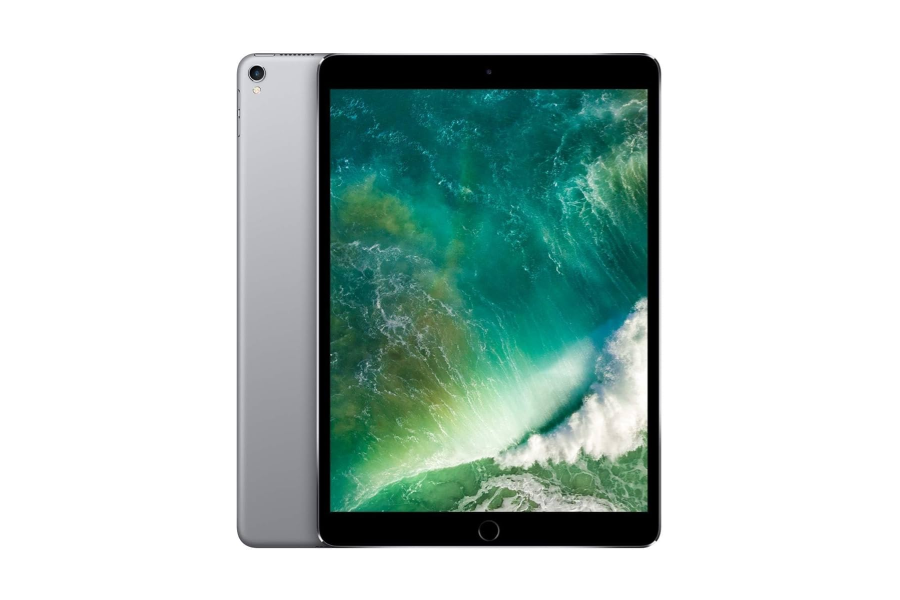
The iPad Pro 10.5-inch (2017) was once one of Apple’s most impressive tablets, offering a 120Hz ProMotion display, solid performance, and premium build quality. Fast forward to 2026, and this model is now widely available Certified Used or Refurbished for around $150+, according to UpTrade’s Price Tracker.
At first glance, that price looks extremely attractive. A ProMotion iPad Pro for $150 sounds like a steal.
However, price alone doesn’t tell the full story. In 2026, software support matters more than ever, and Apple has officially dropped iPadOS support for the iPad Pro 10.5-inch (2017). This dramatically limits its usefulness, security, and long-term value.
So the real question isn’t whether the iPad Pro 10.5-inch is cheap — it’s whether it’s still worth buying in 2026.
Quick Verdict (TL;DR)
Short answer: No — it’s not recommended in 2026.
While the iPad Pro 10.5-inch (2017) offers a tempting $150+ entry price, the lack of ongoing software support makes it a poor long-term investment. Without new iPadOS updates, app compatibility and security will continue to decline.
Instead, we strongly recommend spending a little more on a Certified Used / Refurbished iPad Pro 11-inch (1st Gen, 2018), which starts around $260+ and supports iPadOS 26. That extra investment delivers a significantly longer lifespan, better performance, and a much safer user experience in 2026 and beyond.
Key Highlights — iPad Pro 10.5-inch (2017)
Before diving into its limitations, it’s worth acknowledging why the iPad Pro 10.5-inch was so popular in the first place. Even in 2026, there are still a few areas where it holds up reasonably well.
What Still Looks Good in 2026
- 120Hz ProMotion Display
One of the earliest iPads to feature ProMotion, offering smooth scrolling and fluid animations that still feel nice today.
- Solid Build Quality
Premium aluminum design that feels sturdy and well-made, even after years of use.
- Good Speaker System
Quad-speaker setup delivers surprisingly good audio for movies, YouTube, and casual media consumption.
- Apple Pencil Support (1st Gen)
Still usable for note-taking and light drawing, though it lacks the convenience of magnetic charging.
- Very Low Price — Starting at $150+
For budget buyers, the price is undeniably attractive.
Why These Highlights Aren’t Enough Anymore
While these features made the iPad Pro 10.5-inch impressive in its time, they can’t offset the lack of software support in 2026. Smooth hardware means little when apps stop updating, security patches disappear, and compatibility issues start piling up.
This is where the 10.5-inch model begins to fall behind — and why it’s no longer a smart buy for most users.
Software Support — The Deal Breaker
The biggest reason the iPad Pro 10.5-inch (2017) is no longer worth buying in 2026 is software support.
Apple has officially excluded this model from the latest macOS 26. That means:
- No iPadOS 26 support
- No new features
- Still receiving security patches for 1–2 years but capped at macOS 17
- Rapidly declining app compatibility
While this iPad still runs basic apps today and receives security patches from Apple, it is now considered a legacy device in Apple’s ecosystem.
Why Software Support Matters More Than Price
In 2026, most apps are designed around newer versions of iPadOS. Once a device stops receiving updates:
- Popular apps gradually stop installing or updating
- Banking, work, and school apps may refuse to run
- Safari and browsers fall behind modern web standards
- Apple ecosystem features stop working reliably
This is especially risky for anyone buying a Certified Used or Refurbished iPad, because you’re paying for a device with a short and shrinking usable lifespan.
What This Means in Real Life
Even if you only paid $150, the value drops quickly if:
- Apps you rely on stop working within a year
- You’re forced to upgrade again sooner than expected
This is why we consider the lack of software support a deal breaker — regardless of how good the hardware still looks on paper.
Real-World Usability in 2026
In day-to-day use, the iPad Pro 10.5-inch (2017) sits in an awkward middle ground in 2026. It still works — but it no longer works well enough for most modern needs.
What Still Works
For very light use, the device can still handle:
- Video streaming (YouTube, Netflix, etc.)
- Basic web browsing
- Reading, PDFs, and ebooks
- Casual games that haven’t updated recently
- Simple note-taking
If you’re buying it as a secondary device or for kids, it may still be acceptable.
What No Longer Works Well
This is where the age really shows:
- Many modern apps are no longer supported
- App updates may fail or stop entirely
- New productivity features are unavailable
- Some websites load slowly or incorrectly
- Safari and browser security fall behind
- Apple ecosystem features (iCloud sync, continuity features) become unreliable
For students, professionals, or anyone relying on their iPad daily, these limitations become frustrating very quickly.
Bottom Line on Usability
In 2026, the iPad Pro 10.5-inch is best described as:
- Usable for basics
- Unreliable for modern workflows
- Not future-proof at all
This is why spending a little more on a newer, still-supported iPad usually makes far more sense.
Battery Life & Hardware Aging
Even if software support weren’t an issue, the age of the hardware alone makes the iPad Pro 10.5-inch (2017) a tough sell in 2026.
Battery Degradation After 8–9 Years
By 2026, this iPad is nearly a decade old. Most units will show significant battery wear:
- Noticeably shorter battery life
- Difficulty lasting a full day
- Sudden drops from higher percentages
- Throttled performance to preserve battery health
While battery replacements are possible, the cost often doesn’t make sense relative to the device’s $150 resale value.
Aging Internal Components
Beyond the battery, other components are also aging:
- Older A10X chip struggles with modern apps
- Slower storage speeds
- Less efficient memory management
- Older Wi-Fi and Bluetooth standards
Even if the hardware technically works, the experience feels increasingly dated.
Repair vs Replace Reality
Spending money to replace:
- Battery
- Screen
- Charging port
quickly approaches — or exceeds — the cost of buying a newer Certified Used / Refurbished iPad that’s still supported.
Bottom Line on Hardware Aging
The iPad Pro 10.5-inch has aged gracefully for its time — but by 2026, both battery life and internal hardware are well past their prime. Combined with the lack of modern software support, it’s simply not a smart long-term buy.
Better Alternative — iPad Pro 11-inch (1st Gen, 2018)
If you’re tempted by the low price of the iPad Pro 10.5-inch (2017), there’s a much smarter option just one generation newer: the iPad Pro 11-inch (1st Gen, 2018).
Starting at $260+ Certified Used / Refurbished, it costs about $100 more — but delivers significantly more value, longevity, and usability in 2026. Most importantly, it still supports iPadOS 26, giving it years of life left.
Specs Comparison — iPad Pro 10.5-inch (2017) vs iPad Pro 11-inch (2018)
| Feature |
iPad Pro 10.5-inch (2017) |
iPad Pro 11-inch (1st Gen, 2018) |
| Release Year |
2017 |
2018 |
| Chipset |
A10X Fusion |
A12X Bionic |
| Display Size |
10.5-inch |
11-inch |
| Display Type |
Retina |
Liquid Retina |
| Refresh Rate |
120Hz ProMotion |
120Hz ProMotion |
| Apple Pencil Support |
Pencil (1st Gen) |
Pencil 2 |
| Charging Port |
Lightning |
USB-C |
| Face ID |
No (Touch ID) |
Yes |
| OS Support (2026) |
❌ Not supported |
✅ iPadOS 26 |
| Certified Used Price |
~$150+ |
~$260+ |
| Remaining Lifespan |
Very limited |
Several years |
Key Differences That Matter in 2026
1. Software Support — The Biggest Upgrade
This alone makes the decision easy:
- iPad Pro 10.5-inch: No iPadOS 26
- iPad Pro 11-inch (2018): Fully supports iPadOS 26
That means:
- Better app compatibility
- Better cybersecurity
- Access to modern features
- Safer long-term use
2. Performance — A12X vs A10X
The A12X Bionic in the 11-inch model is:
- Faster and more efficient
- Better at multitasking
- Much smoother with modern apps
In real-world use, the difference is noticeable — especially in productivity, creative apps, and multitasking.
3. Apple Pencil 2 Support
This is a huge usability upgrade:
- Magnetic attachment
- Wireless charging
- Double-tap gesture support
The 10.5-inch model’s 1st Gen Pencil feels dated and inconvenient by comparison.
4. USB-C vs Lightning
USB-C gives the 11-inch model:
- Better accessory compatibility
- External display support
- Faster data transfer
- More future-proof connectivity
Lightning is increasingly obsolete in 2026.
5. Modern Design & Face ID
The 11-inch model features:
- Slim bezels
- Edge-to-edge display
- Face ID
It looks and feels far more modern than the 10.5-inch design.
Bottom Line on the Alternative
For about $100 more, the iPad Pro 11-inch (1st Gen, 2018) delivers:
- iPadOS 26 support
- Much longer usable lifespan
- Better performance
- Modern accessories
- Stronger resale value
It’s the clear choice for anyone shopping Certified Used / Refurbished in 2026.
Conclusion — Is the iPad Pro 10.5-inch (2017) Worth Buying in 2026?
For most buyers, no — the iPad Pro 10.5-inch (2017) is still not recommended in 2026, even at its attractive $150+ Certified Used / Refurbished price.
While Apple has not completely abandoned the device — it remains limited to iPadOS 17 and continues to receive security updates — the lack of support for iPadOS 26 means it has effectively reached the end of its feature lifespan. New productivity tools, multitasking improvements, and modern app capabilities introduced in newer iPadOS versions are no longer available.
In real-world use, this puts the iPad Pro 10.5-inch in a short-term, declining category: it’s still safe to use today thanks to security patches, but app compatibility and user experience will continue to fall behind year after year.
Instead, we strongly recommend spending a little more on a Certified Used / Refurbished iPad Pro 11-inch (1st Gen, 2018) starting at $260+. It supports iPadOS 26, offers noticeably better performance, modern accessories like Apple Pencil 2, USB-C connectivity, and — most importantly — a much longer remaining lifespan.
FAQ — iPad Pro 10.5-inch (2017)
1. What iPad Pro was out in 2017?
In 2017, Apple released the iPad Pro 10.5-inch and refreshed the iPad Pro 12.9-inch (2nd Gen). The 10.5-inch model replaced the older 9.7-inch Pro.
2. What generation is the 2017 iPad Pro 10.5-inch?
The iPad Pro 10.5-inch is considered part of the second-generation iPad Pro lineup, introduced in 2017.
3. Does the 2017 iPad Pro 10.5-inch have ProMotion?
Yes. It features a 120Hz ProMotion display, which was a major selling point at launch and still provides smooth scrolling and animations today.
4. What is the latest iPadOS version supported by the iPad Pro 10.5-inch?
The iPad Pro 10.5-inch is capped at iPadOS 17 and cannot upgrade to iPadOS 26.
5. Does the iPad Pro 10.5-inch still receive security updates?
Yes. Although it no longer receives feature updates, Apple continues to provide security updates for iPadOS 17, which keeps the device reasonably safe to use for now.
6. How long will the 2017 iPad Pro be supported?
Realistically, it has limited remaining support. While security updates continue today, app compatibility will decline as developers newer iPadOS versions. Expect 1–2 more years of declining usability.
7. Is the iPad Pro 10.5-inch still usable in 2026?
Yes — but only for basic tasks such as streaming, light browsing, reading, and casual apps. It is no longer suitable for modern productivity or long-term use.
8. Why is my iPad Pro 10.5-inch so slow?
Several factors contribute:
- The A10X chip is now several generations old
- Limited RAM by modern standards
- Apps are optimized for newer iPadOS versions
- Battery degradation can cause performance throttling
- Slower storage compared to newer iPads
9. Is $150 a good price for the iPad Pro 10.5-inch in 2026?
It’s cheap, but not great value. The low price doesn’t offset the limited software future and aging hardware.
10. Is it safe to use the iPad Pro 10.5-inch for banking or sensitive apps?
For now, it is generally safe due to ongoing security updates. However, as app support declines, this may change.
11. What is the best alternative to the iPad Pro 10.5-inch (2017)?
The iPad Pro 11-inch (1st Gen, 2018) is the best alternative. It supports iPadOS 26, offers better performance, Apple Pencil 2 support, USB-C, and a much longer usable lifespan.
12. Is the iPad Pro 11-inch (2018) worth paying more for?
Yes. Spending about $100 more provides several additional years of software support and a far better long-term experience.
13. Who should still consider the iPad Pro 10.5-inch?
Only users who need:
- A very cheap secondary device
- A media-only tablet
- A short-term option for kids
Most buyers should avoid it.
14. Which older iPad Pro models are still worth buying in 2026?
iPad Pro models from 2018 and newer that support iPadOS 26 — especially the iPad Pro 11-inch (2018) — are still worth buying Certified Used / Refurbished.

 Sale
Sale